Start where your customer is.
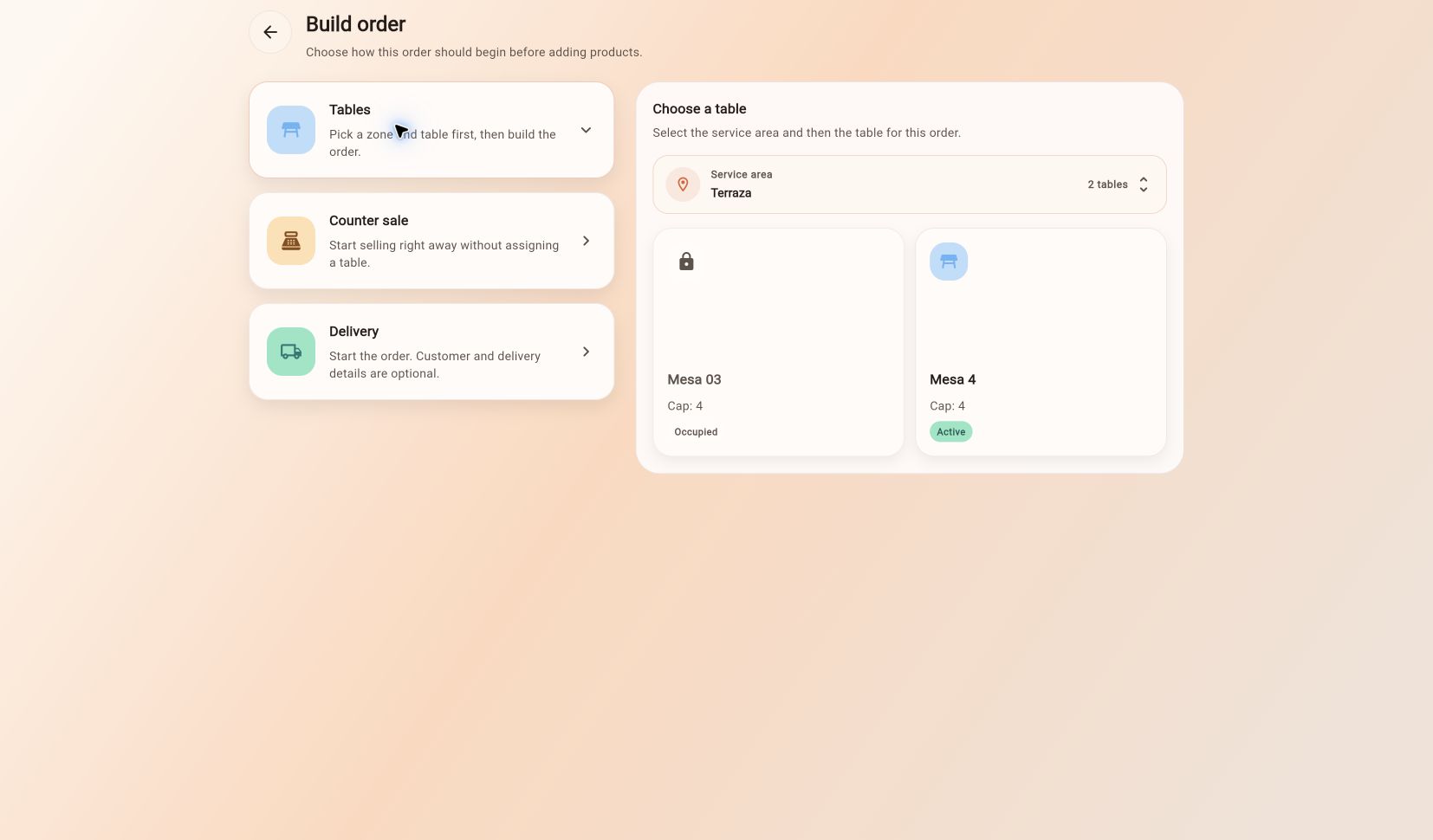
From a table on your floor plan, a counter sale or a delivery order. Add products, combos and notes without losing your place.
Floor plan · Matrix view · Counter · DeliveryThe dining room, products, kitchen and accounts of your business. Connected in one tool that follows every part of the service.
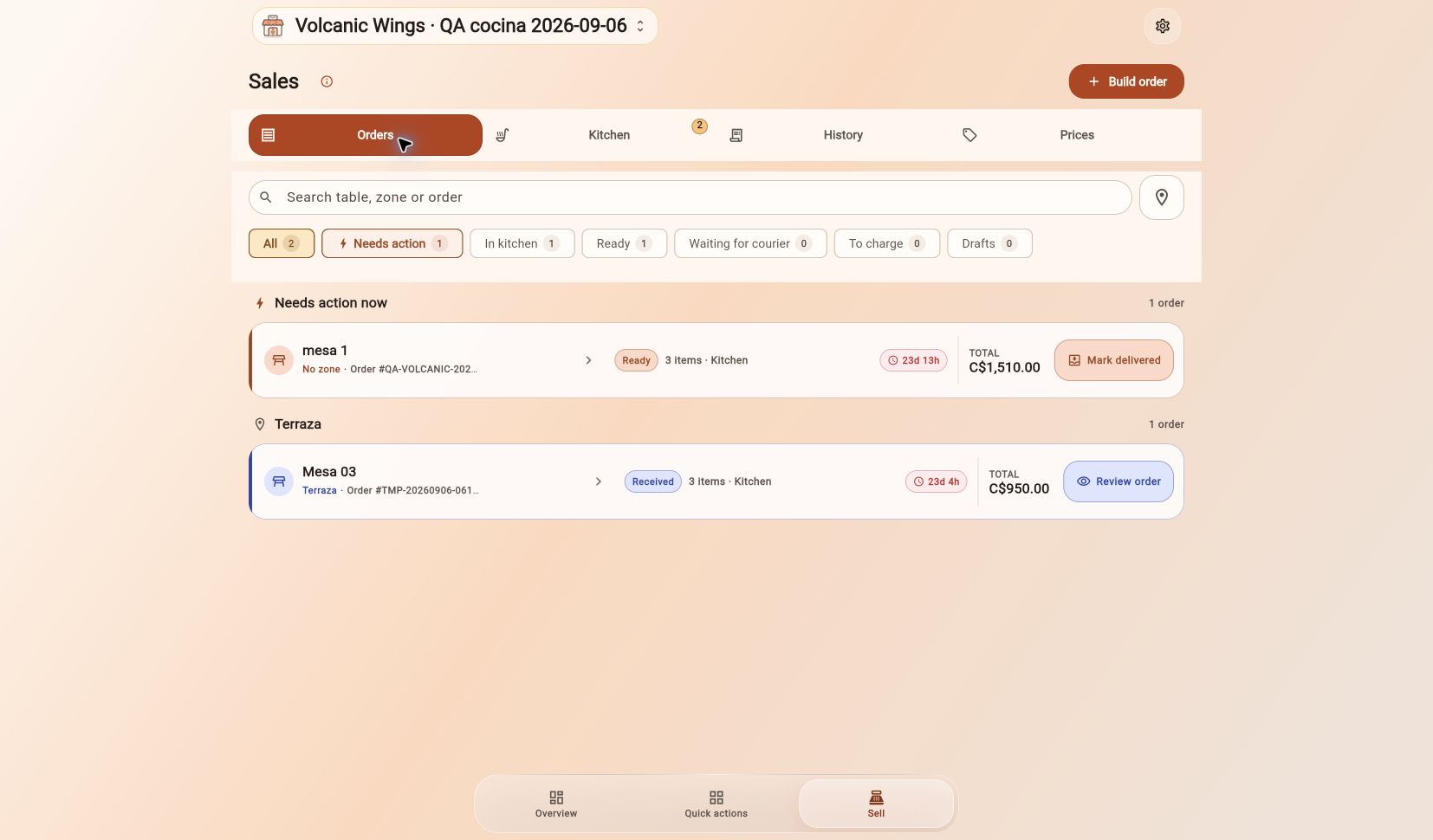
Create my account Creating your account is free.Actual web app screenshots from a test business. Orders and amounts are QA data.
From a table on your floor plan, a counter sale or a delivery order. Add products, combos and notes without losing your place.
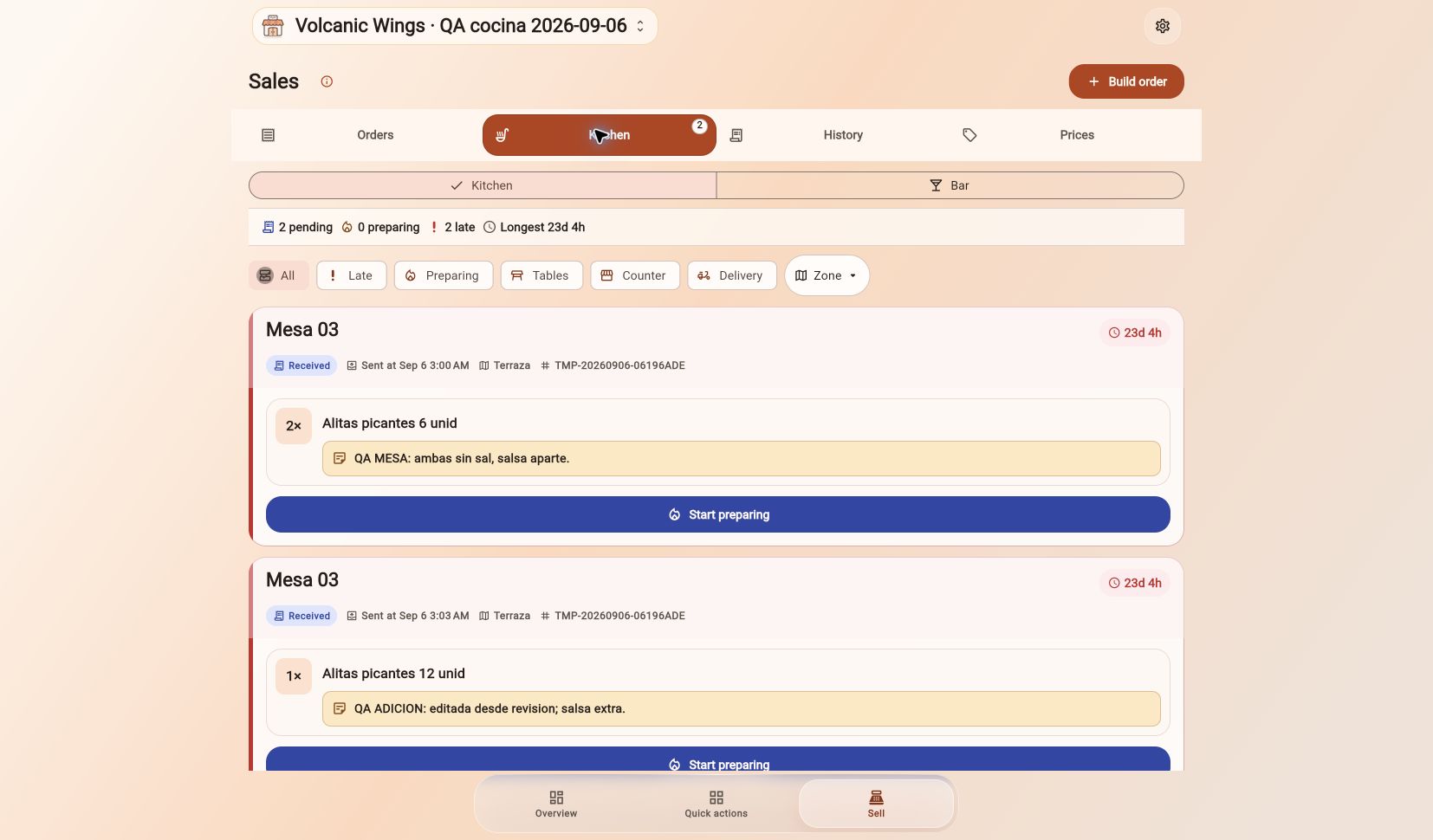
Floor plan · Matrix view · Counter · DeliveryItems arrive in the kitchen with their notes. Follow each ticket until it is ready and keep track of what still needs to be served.
Item notes · Preparation status · CombosReview the total, record payment and prepare a receipt. If your customer pays later, track the balance and repayments with customer credit.
Payments · Custom receipts · Customer credit · TillLess scattered information. More clarity about your products, your team and every sale.
Multiple categories, units, photos and bulk product editing on desktop.
Products · Categories · Bulk editingTrack stock, dependent products and fixed combos with inventory deductions for their components.
Stock · Dependencies · Fixed combosDesign a public menu with your logo, selected product photos and a QR code to share with customers.
Public menu · Designs · QRRecord credit sales, outstanding balances and repayments. View each customer’s history.
Customers · Balances · RepaymentsManage permissions and cancellation approvals. Temporarily switch users on a shared device.
Roles · Approvals · User switchingChoose what to show and preview your design. Generate 58 mm, 80 mm or A4 PDFs to print from the web.
Customization · PDF · PrintingOrganize openings, cash movements and closings to review what came in and went out during the day.
Opening · Movements · ClosingReview sales and product performance with your business reports.
Sales · Products · ReportsGive each person the access they need. Cancellations can be unrestricted or require an administrator’s approval, with an inbox to review each request.
Sign-in, user switching, authorizations and other cloud actions require a connection.
Takofy keeps information on your device so supported operations can continue without a connection. When the internet returns, changes sync.
Sign-in, user switching, authorizations and other cloud actions require a connection.Creating your account is free. That does not mean that every feature or the full use of Takofy is free. Some features may require a subscription; check the available options and conditions in the app.
You can open Takofy in your computer’s browser. There is also an Android app. The website adapts to smaller screens, so choose the device that suits your work.
Supported operations can continue using data stored on your device and sync when reconnected. A connection is required to sign in, switch users, request or approve authorizations, and use other cloud actions.
On the web, you can generate a 58 mm, 80 mm or A4 PDF and print through your browser’s system dialog. Android also includes supported printing options. Connectivity and output depend on your printer model and configuration.
Yes. Set up products, categories, units, combos, tables and areas. Personalize your logo, public menu and receipts, then define your team’s permissions.
Create your account and start organizing your business with Takofy.
Create my account Creating your account is free. Available features and their conditions are shown in the app.